Lay text along a path (Along Path)#
Run a line of text round a circle or along a curve. Along Path is under Path Tools in the Draw tab.
- Add your text with Text in the Draw tab, and draw the path to follow.
- Select the text, then Shift-click the path.
- Click Along Path.
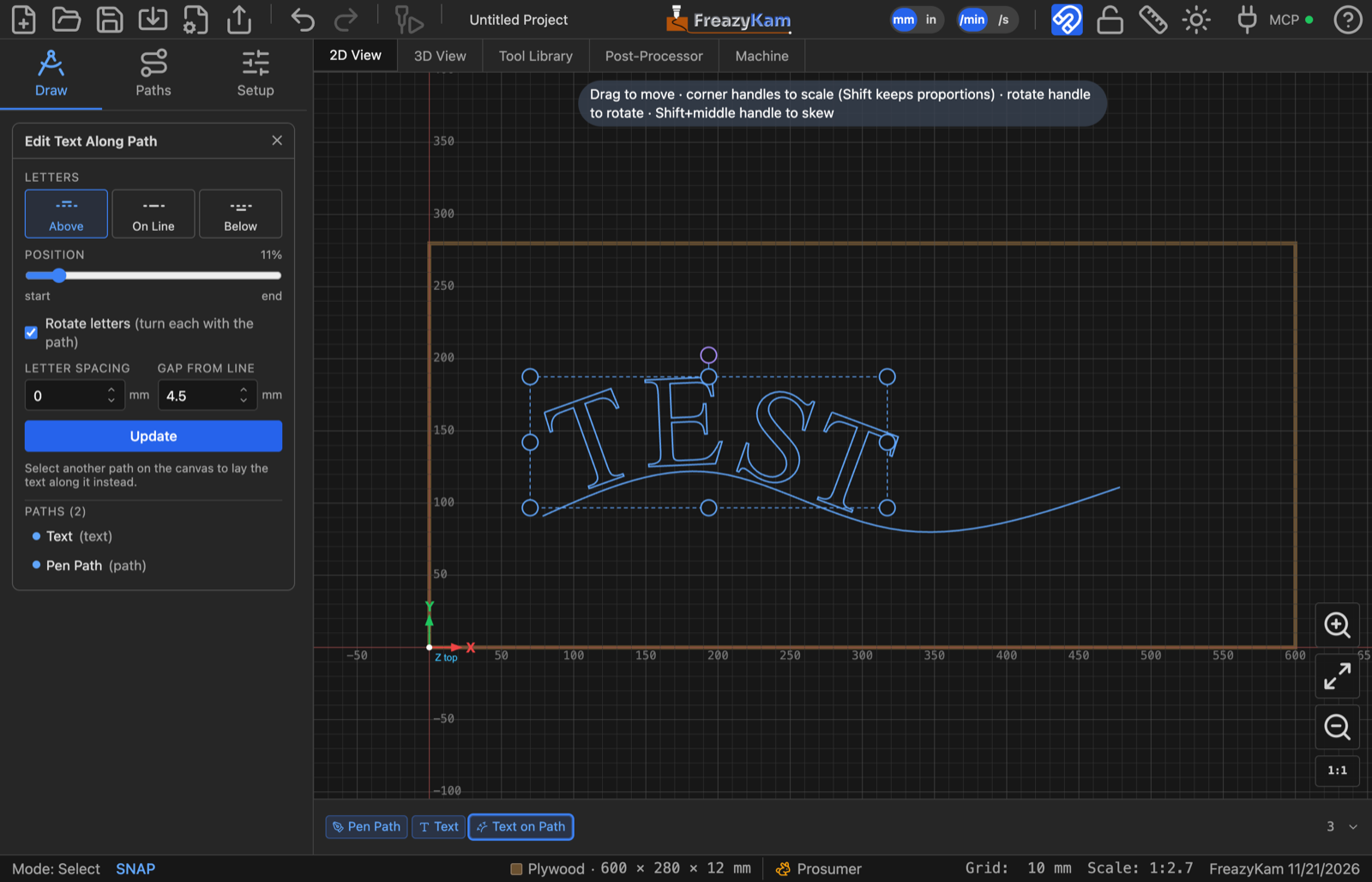
- Under Letters, pick where they stand: Outside, On Line or Inside for a closed path, Above, On Line or Below for an open one.
- Drag Position to move the text along the path.
- Click Apply.
The text always reads left to right and upright. The result shows on the canvas while the form is open.
Fine-tune it#
| Field | Does |
|---|---|
| Rotate letters | Turns each letter with the path. Untick to keep every letter upright |
| Letter Spacing | Extra space between letters |
| Gap From Line | How far the letters stand off the path |
The original text is hidden, not deleted. Click the result's chip in the Objects strip to change the settings later. Select a different path while the form is open to move the text onto it.
Related: V-carve lettering · Shapes and text