Cut both sides of a board#
Cut side A, turn the board over onto two dowel pins, cut side B.
Make sure the stock is the only sheet (move any parts off other sheets onto it).
Under CAM Operations, click Double-Sided.
Under Pick the Flip to Start, click how you will turn the board over:
Flip Side B appears Left ↔ Right On a sheet to the right of the stock Top ↔ Bottom On a sheet below the stock Draw side A's parts on the stock and side B's on its sheet, and make their toolpaths as usual. Side B's sheet shows the board as you will see it after the flip; side A is drawn on it faintly, and parts snap to it.
Check the dowel pins in the form. Keep them in the waste.
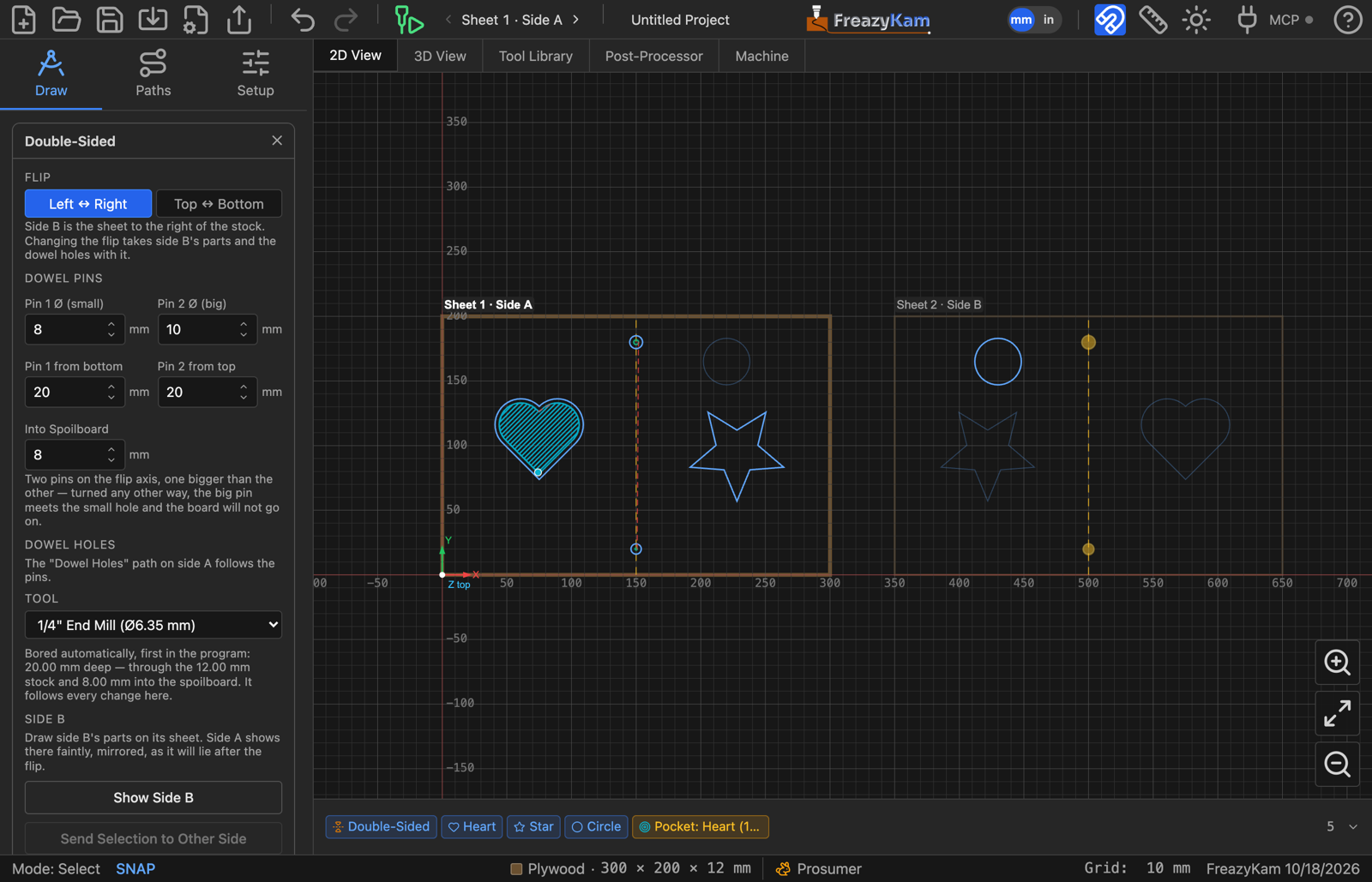
The dowel holes are placed and drilled for you, first on side A. They are bored helically with the largest end mill that fits the small hole; pick another under Tool.
At the machine#
- Run side A.
- Put the pins in the holes. Turn the board over the way you picked and drop it onto them.
- Pick Sheet 2 · Side B in the toolbar and run side B.
Keep the XY zero. Re-zero Z on the new top face, unless Z is set from the spoilboard.
Also in the form#
| Button | Does |
|---|---|
| Show Side A / Show Side B | Picks which side Simulate plays and the Machine tab runs |
| Send N Paths to Other Side | Mirrors the selected paths onto the other side — for a feature cut from both faces |
| Make Single-Sided | Ends the job. The dowel holes go; side B's parts stay as a second sheet |
Changing the Flip later takes side B's parts with it.
Related: Why the pins are different sizes · User guide: Double-sided jobs