Cut a board longer than your machine#
Cut it in tiles, sliding the board along onto two dowel pins between them.
- In Setup, set the stock to the board's real size.
- Draw the parts and make their toolpaths as if your machine were big enough.
- Under CAM Operations, click Tiling.
- Under Pick the Slide Axis to Start, click Along X or Along Y — the way the board will slide.
- Check Machine Travel in the form. The board is split into the fewest tiles that fit.
- Move the seams if you like (below), and keep the pins in the waste.
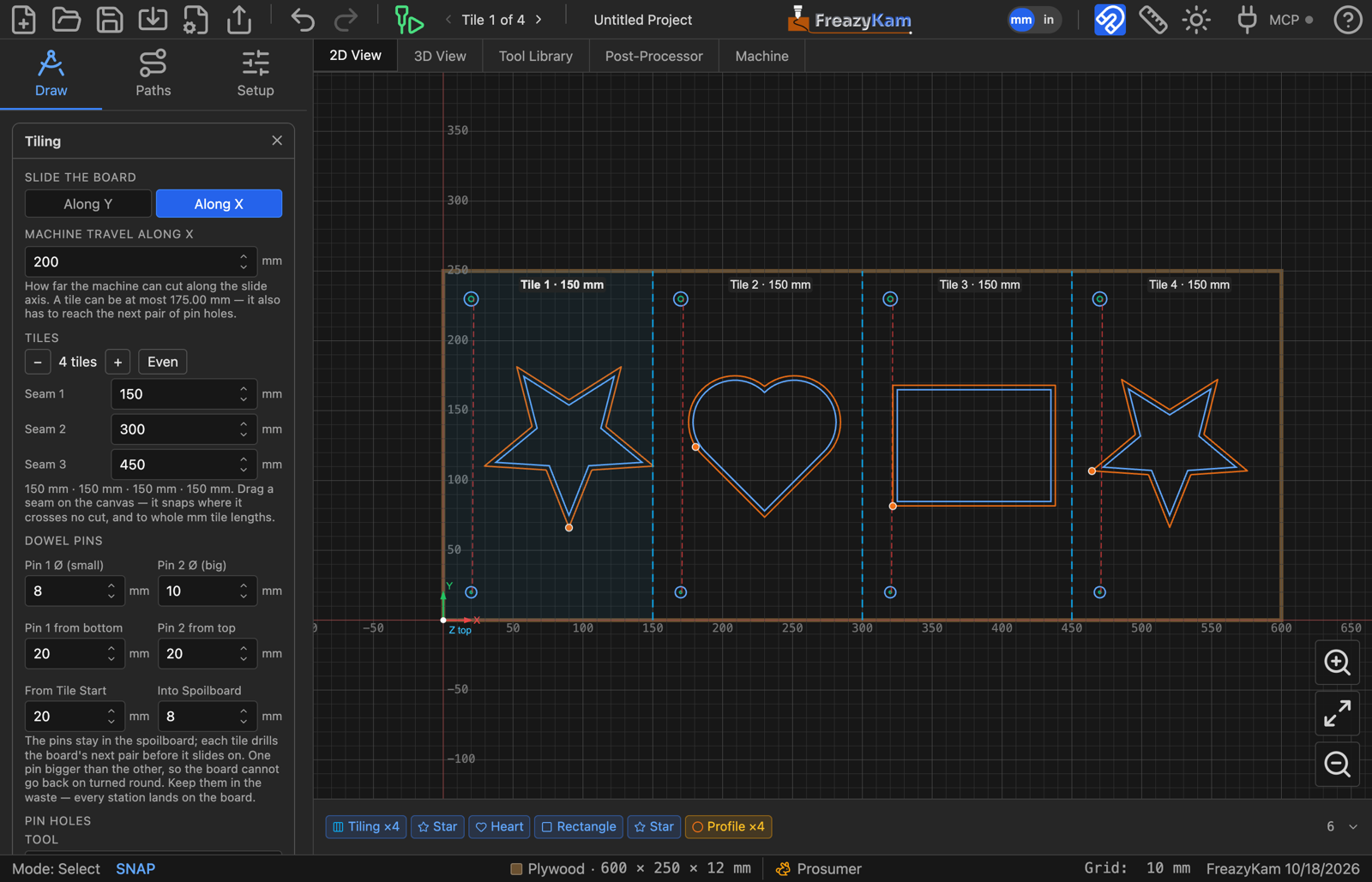
The pin holes are placed and drilled for you, first in every tile. Pick the end mill under Tool.
Move a seam#
- Drag it on the canvas. It snaps to whole mm (or inches) of tile length, and to clean breaks where it crosses no cut. Alt-drag to move it freely.
- Or type its position in the form.
- − / + remove or add a tile; Even re-spaces the tiles.
If a tile is too long for the machine, the form says so. Add a seam.
At the machine#
- Pick Tile 1 in the toolbar and run it. It drills the pin holes into the spoilboard and the next pair in the board.
- Put the pins in the spoilboard holes.
- Lift the board, slide it until the next holes drop onto the pins, pick the next tile, and run it. Repeat.
Keep the XY and Z zero the same for every tile.
Export G-code writes one file per tile: job_tile1, job_tile2…
Make Single Board in the form ends the job.
Related: Why the pins are different sizes · User guide: Tiled jobs