Export G-code#
- Check your post-processor is right (first time only).
- Click Export G-code in the toolbar.
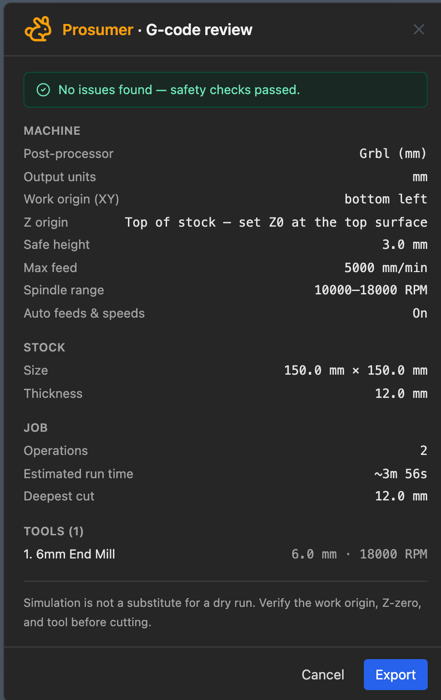
- Read the review:
- Origin lines match how you'll zero the machine?
- Deepest cut is less than your stock (unless cutting through)?
- Run time is what you expect?
- Tools are the ones you have?
- Read any warnings.
- Using more than one tool? Tick Split into one file per tool.
- Click Export (or Export anyway if there are warnings).
The file goes to your downloads folder.
FluidNC user?#
Skip the file. Send it straight to the machine.
Related: Messages and warnings