Set up your stock#
Tell the app what material is on your table.
- Click the Setup tab in the sidebar.
- Type Width (X), Height (Y) and Thickness (Z) in mm (or inches, if the toolbar is set to inches).
- Pick the Material. This sets the automatic feeds and speeds.
- Click ×.
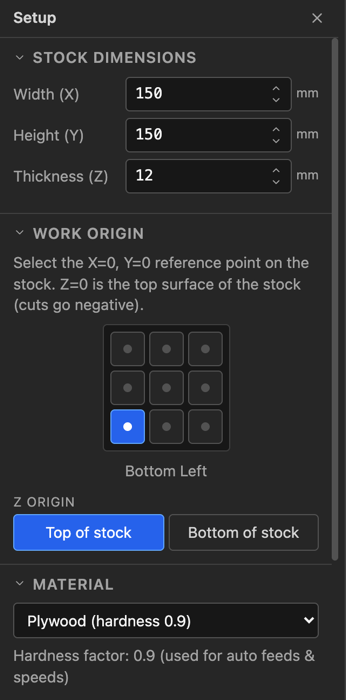
Tip: measure the thickness. Cut-through depths and the simulation depend on it.
Related: Set your work origin · Materials table