Set up your post-processor#
The post-processor writes G-code in your controller's dialect.
Click the Post-Processor tab above the canvas.
Click the profile that matches your controller:
Controller Profile Most hobby machines Grbl (mm) (default) Grbl in inches Grbl (inches) grblHAL grblHAL LinuxCNC LinuxCNC Mach3 Mach3 UCCNC UCCNC Other Generic Make it active.
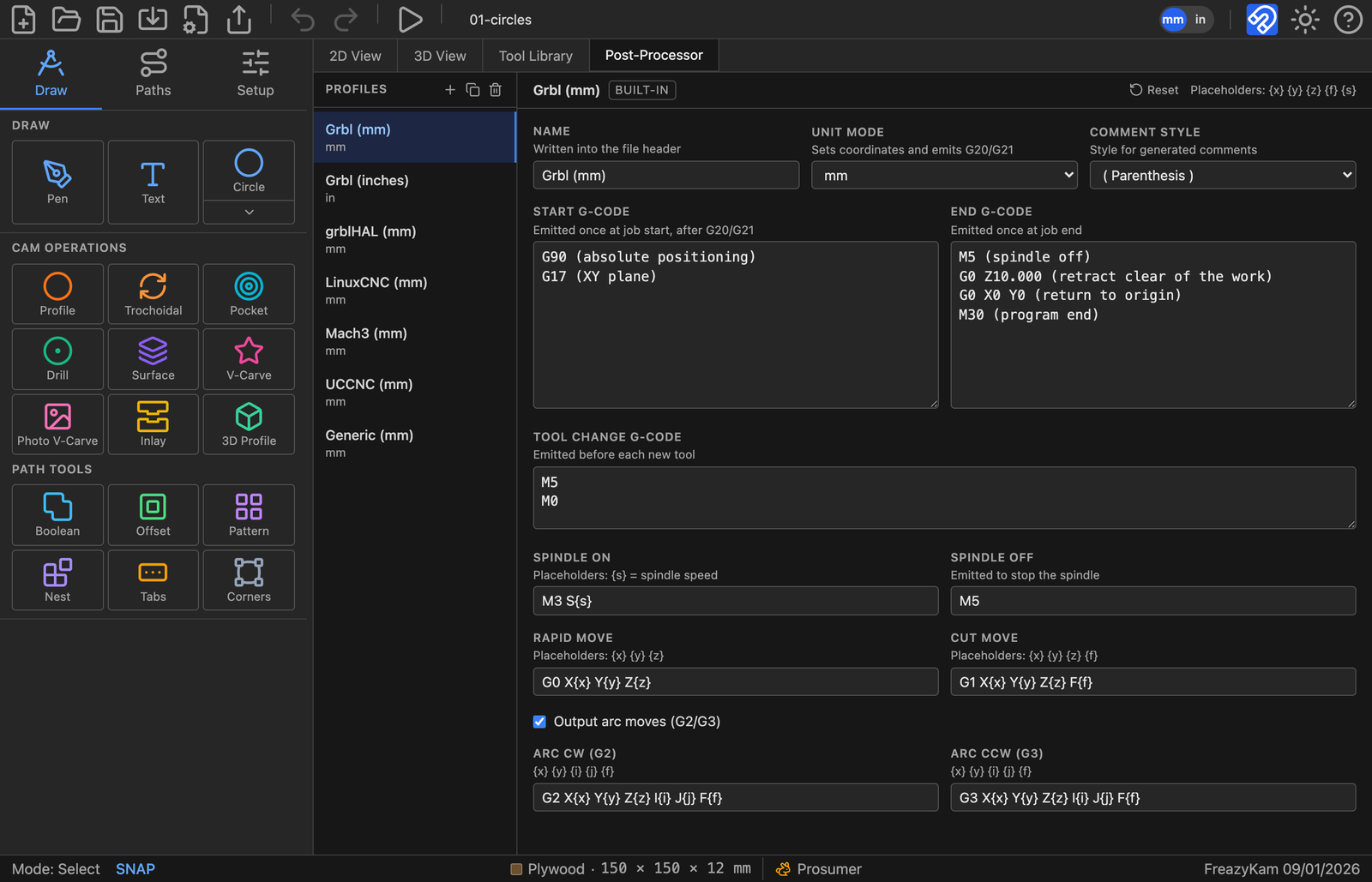
Change a profile#
- Click Duplicate to keep the original.
- Edit the copy.
Edited a built-in by mistake? Click its Reset button.
Common changes#
| Want | Change |
|---|---|
| Inch output | Unit mode (the toolbar mm/in button does not affect the file) |
| No arcs (G2/G3) | Turn off Output arc moves |
| Different tool-change behaviour | Tool change G-code (default pauses with M5/M0) |
Related: All post-processor settings