Make a finger-jointed box#
Measure your board's thickness with calipers.
Open the shape picker and click Box.
Set:
Field Enter Sizes Outside or Inside — which the sizes below are Width · Depth · Height The box Lid Tick for a sixth panel Thickness What you measured, not the nominal size Finger Roughly how wide a finger should be Clearance Gap per side, e.g. 0.1 mm Tool Ø The bit you will cut with Corners Dogbone or T-bone, so square fingers fit the round-cornered notches Click the stock to place it. It lands at its designed size; drag-sizing is off.
Select all the panels and Profile them outside, right through, with the bit you entered as Tool Ø.
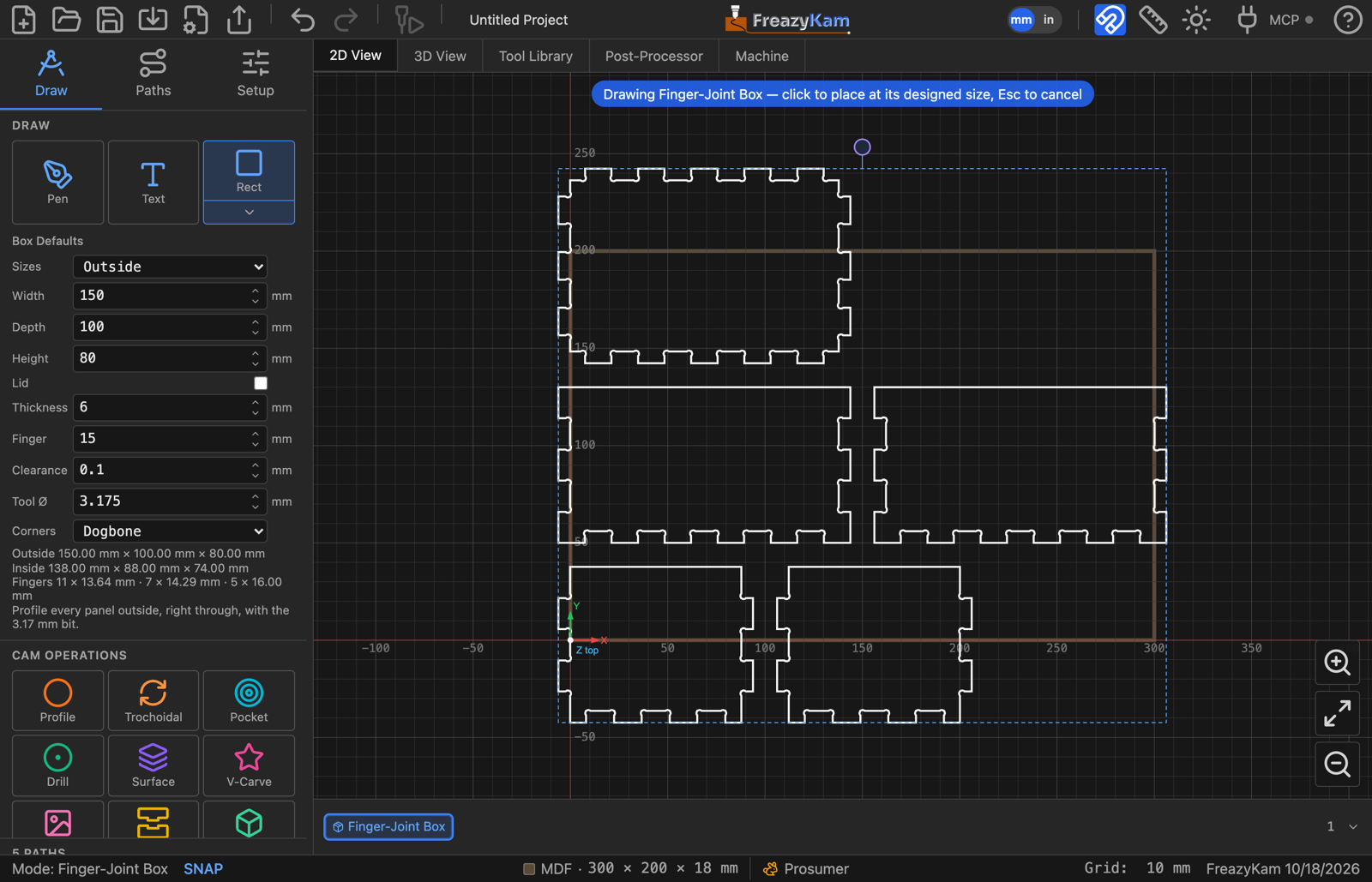
The readout under the fields gives the other set of sizes and how many fingers each edge gets.
Related: Box settings · Joinery in the user guide