Change the cut order#
- Click the Paths tab in the sidebar.
- Click Toolpaths.
- Drag a row up or down. Drag a tool's header to move all its rows.
The list top-to-bottom is the order the machine cuts.
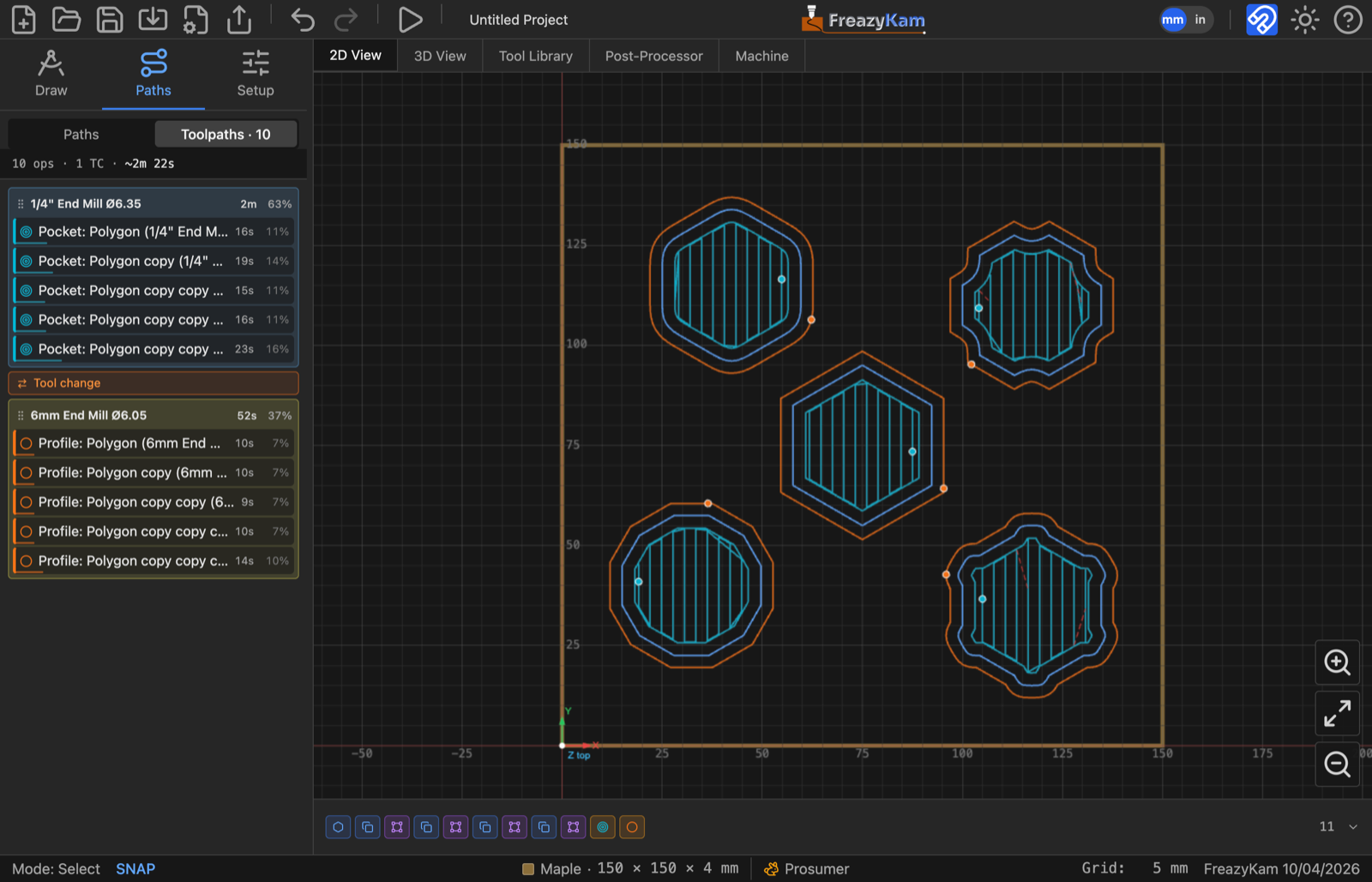
Fewer tool changes#
If a Group by tool button appears, click it to put each tool's cuts together. Check the order after: you still want inside features first, outlines last.
Leave a cut out#
Hover the row and click the eye. Hidden cuts are left out of the G-code.
Related: Operations and the program