Simulate a job#
- Click Simulate G-code in the toolbar.
- Click 3D View to see material removed.
- Press Play (or Space).
It opens showing the finished part. Play starts from bare stock.
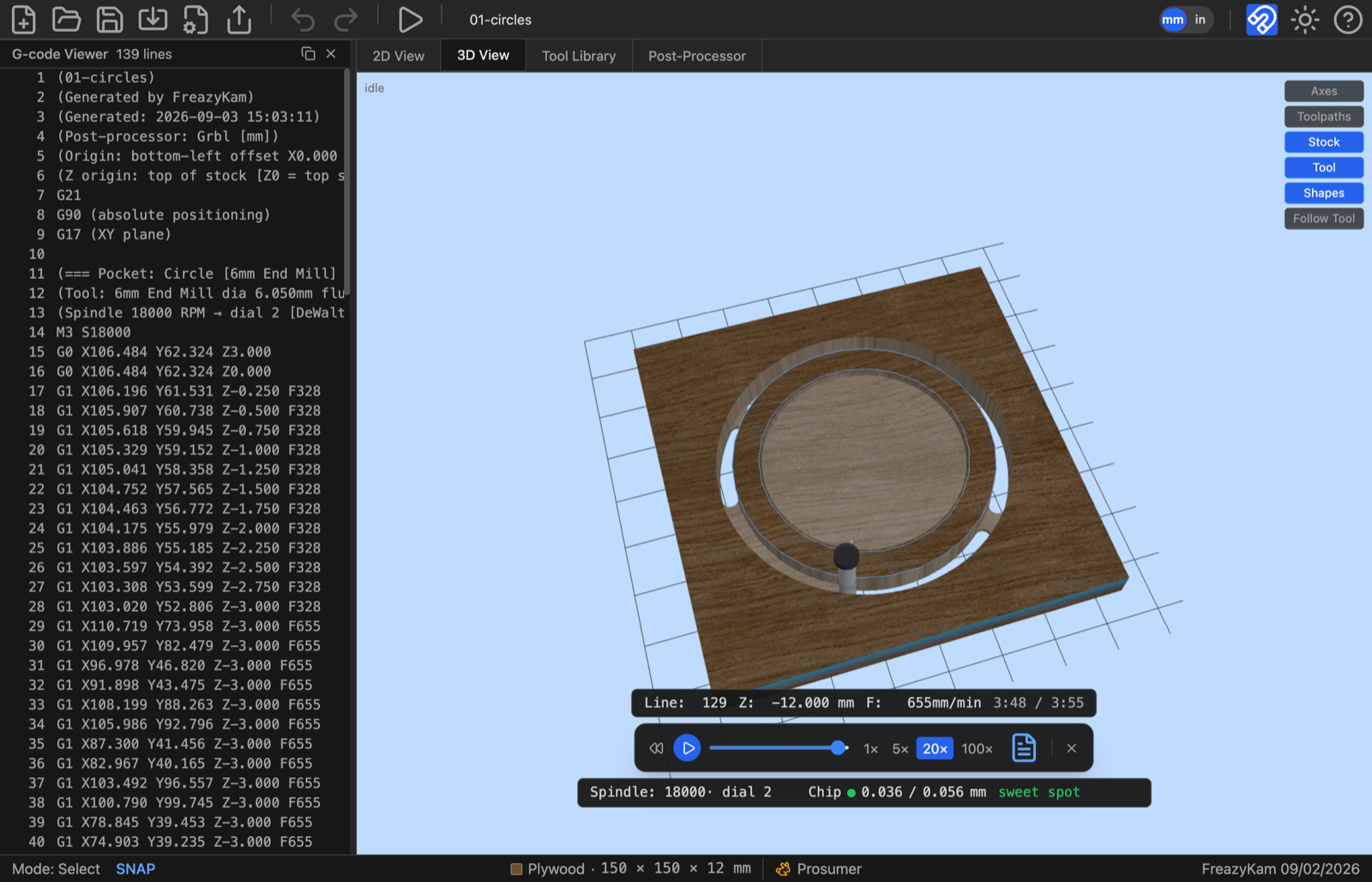
Controls#
| Control | Does |
|---|---|
| Play / Pause | Start or stop (Space) |
| Reset | Back to start |
| Slider | Jump anywhere |
| 1× 5× 20× 100× | Speed |
| Document icon | Show the G-code |
| × | Close |
What to look for#
- The total time.
- The chip load colour: 🟢 is good.
- Pockets too deep, flat spots, missed areas.
Change an operation and the simulation updates by itself.
Related: What a simulation can't tell you