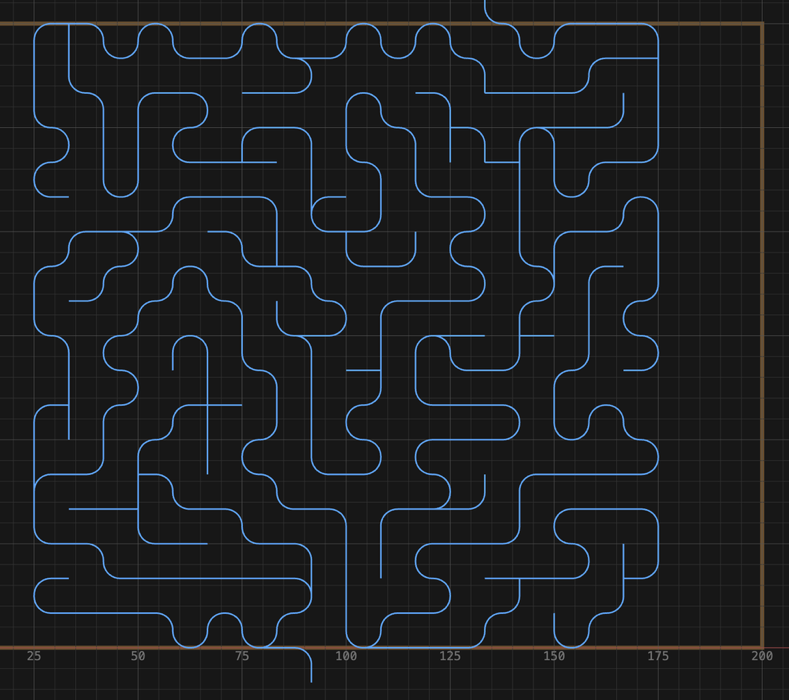
Make a marble maze#
- Open the shape picker and click Maze.
- Set Width and Height.
- Set Spacing to your cutter's diameter plus the wall thickness you want.
Example: 6 mm ball nose + 2 mm walls →
8. - Optional: Corner rounds the corridor bends, Loops reopens that share of dead ends into loops, and the dice button beside Seed makes a new maze.
- Place it. Leave a pitch of room above and below for the entrance and exit leads.
- Select it and click Profile.
- Set Cut Side to centerline and pick a ball nose.
- Generate.
The panel shows the cell grid and the actual pitch (Spacing rounds up to fit whole cells), with the rule Wall = pitch − cutter Ø.
The lines are where the cutter goes. The wood left between them is the wall. Making the maze bigger adds more corridors. It doesn't make them wider.