Join two boards with a finger joint or dovetail#
For boards you already have — a drawer side and front, or two halves of a top too big for the machine.
- Open the shape picker and click Finger (a corner joint) or Dovetail (two panels edge to edge, in the face of the sheet).
- Leave Cut on Joint only.
- Set the joint:
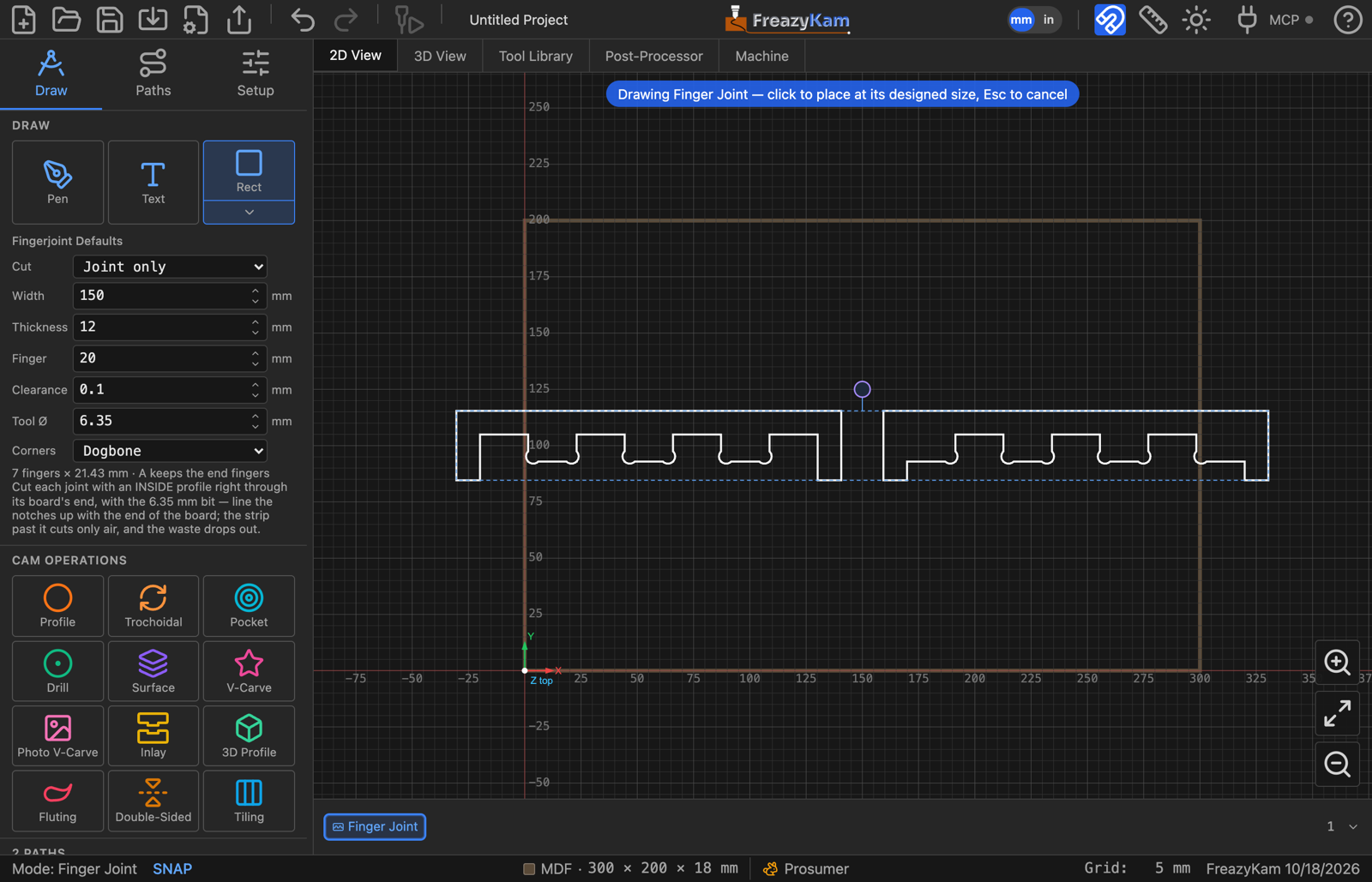
- Finger: Width = the boards' width.
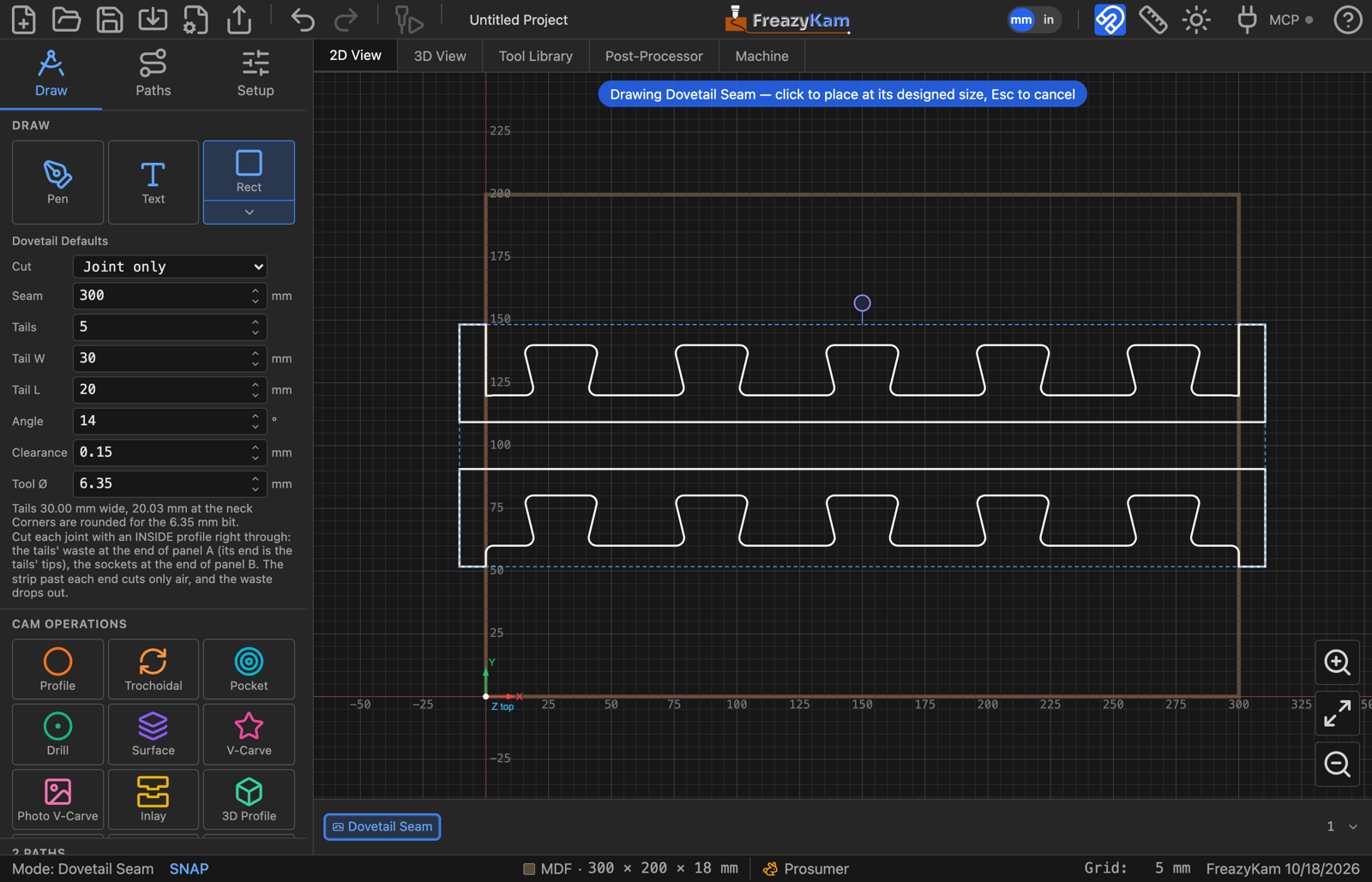
- Dovetail: Seam = the length of the joint, then Tails, Tail W, Tail L and Angle.
- Set Thickness, Clearance and Tool Ø (the bit you'll cut with).
- Click to place it. You get two U-shaped outlines — the waste at each board's end.
- Move each one onto its board: the board's end along the inside of the U's bar, its sides along the insides of the legs.
- Profile each with Cut Side: Inside, right through the board.
The bit runs in air along the bar and the legs, and cuts the joint between the fingers or tails. The waste drops out on the last pass.
Dovetail: which shape goes where#
| Shape | Goes on | Note |
|---|---|---|
| Sockets (upper) | Panel B | Its end is the seam |
| Tails (lower) | Panel A | Its end is the tails' tips — leave it Tail L longer |
Cutting both boards out of a sheet instead#
Set Cut to Whole boards, enter each board's length, and profile them outside.
Related: Finger · Dovetail settings · Joinery in the user guide