Design a clock#
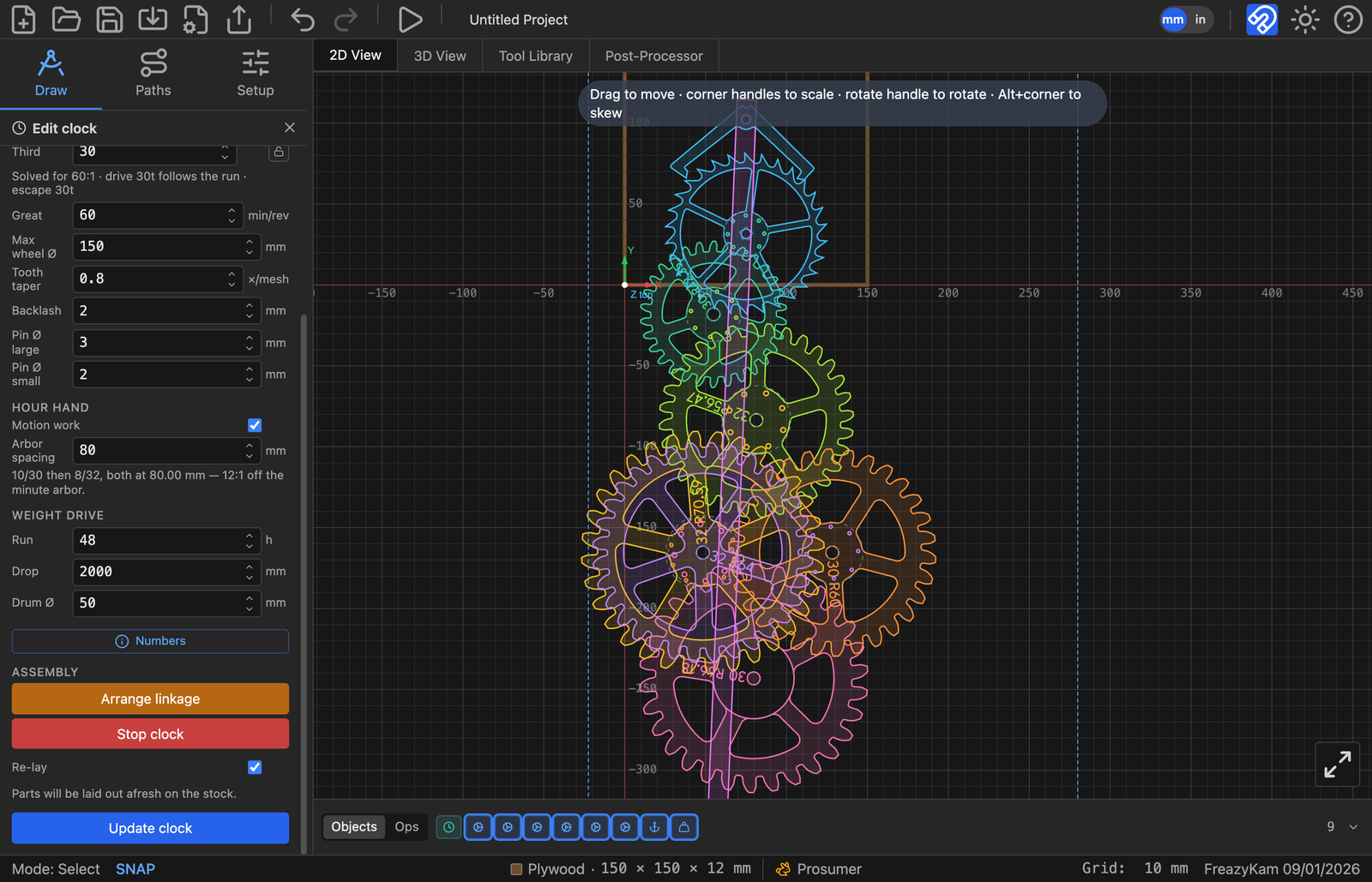
The clock designer works out a whole set of wheels from the beat you want.
- Open the shape picker and click Clock.
- Under Pendulum, set Beat (seconds) and Esc teeth.
- Under Going train, set Max wheel Ø to fit your stock.
- Under Hour hand, tick Motion work if you want an hour hand.
- Under Weight drive, set Run (hours), Drop and Drum Ø.
- Place it.
Each wheel, the anchor and the pendulum appear as separate shapes you can edit.
Red text in the panel?#
The beat can't be made exactly with whole tooth counts. Change the beat or the wheel settings until it goes away.
Check it#
Under Assembly, click Animate whole clock. If it doesn't turn on screen, it won't turn in wood.
Escapement warnings#
Open the escapement's readout. Follow the colour of the worst line. See Escapement settings.
Related: How an escapement works · Gears and clock trains