Run your first job on the machine#
You will connect to a FluidNC controller over WiFi, zero the machine, and cut the coaster from the first tutorial.
You need: a FluidNC controller on your WiFi, and the coaster project open. Allow 20 minutes the first time; most of that is the one-time setup in step 1.
Safety: keep a way to cut power to the machine and router within reach. The app's STOP button needs WiFi to work.
1. Install the relay (first time only)#
Follow Install the relay file, then come back here.
2. Connect#
- Click the Machine tab.
- Type
fluidnc.local(or the controller's IP address). - Click Connect.
- A small FreazyKam link window opens. Leave it open.
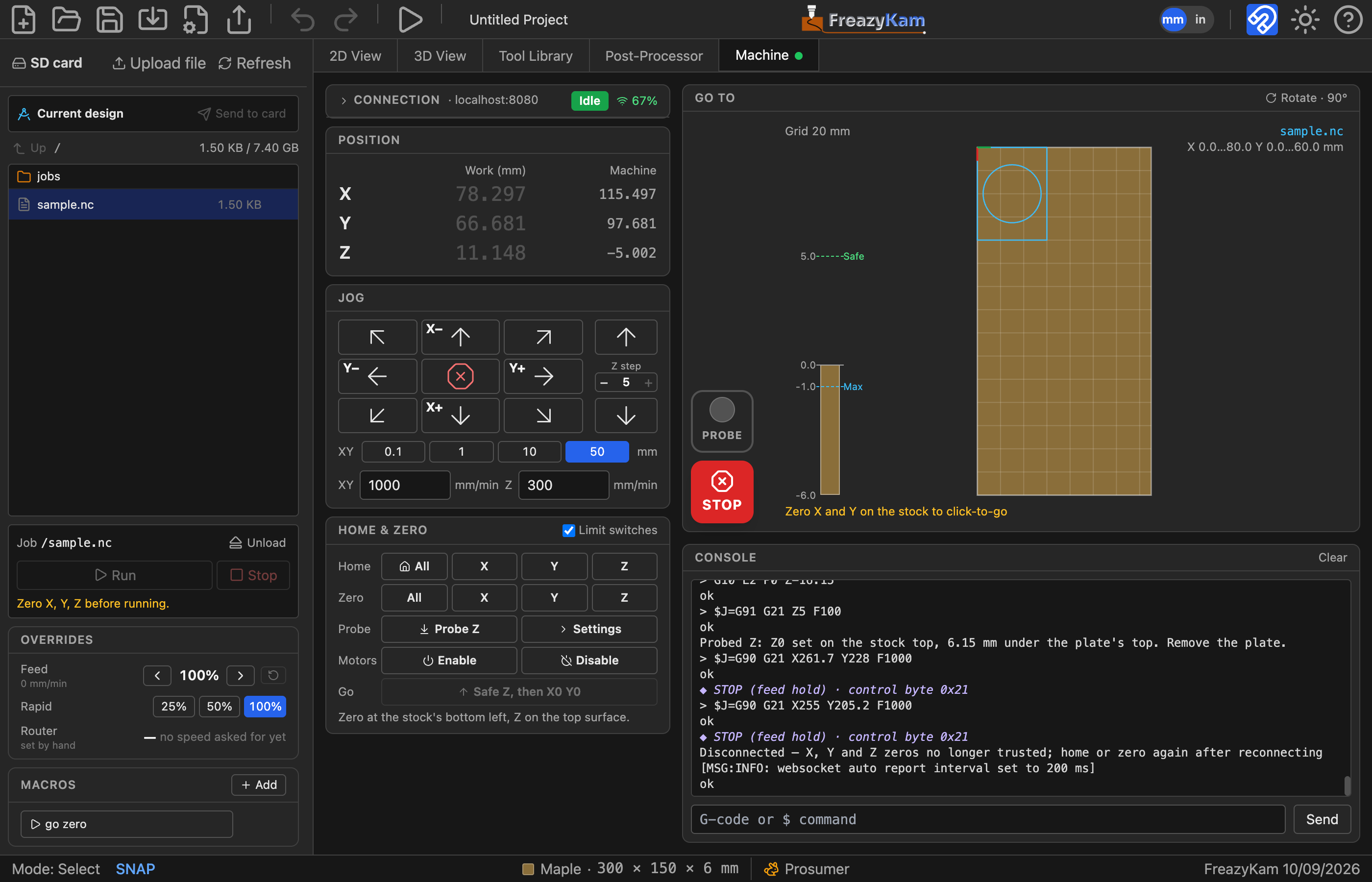
The state should read Idle.
3. Home#
Skip this if your machine has no limit switches.
- Under Home & Zero, click Home → All.
- Wait for the state to return to Idle.
4. Zero on the stock#
- Fit the 6 mm end mill.
- Use the jog arrows to move the bit over the stock's bottom-left corner.
- Click Zero → X and Zero → Y.
- Jog Z− until the bit just touches the top of the stock. Use a small step near the surface.
- Click Zero → Z.
All three axes should show a ✓.
5. Send the job#
- In the sidebar, click Send to card.
- Check the map: the job should sit inside the stock.
6. Run#
- Start the router.
- Click Run.
To stop: click Pause, wait, then Cancel job. In an emergency, click the red STOP.
7. Finish#
- When the job ends, cut the four tabs with a chisel.
- Sand the edges.
Done#
You've cut your first part.
Learn more: