The screen#
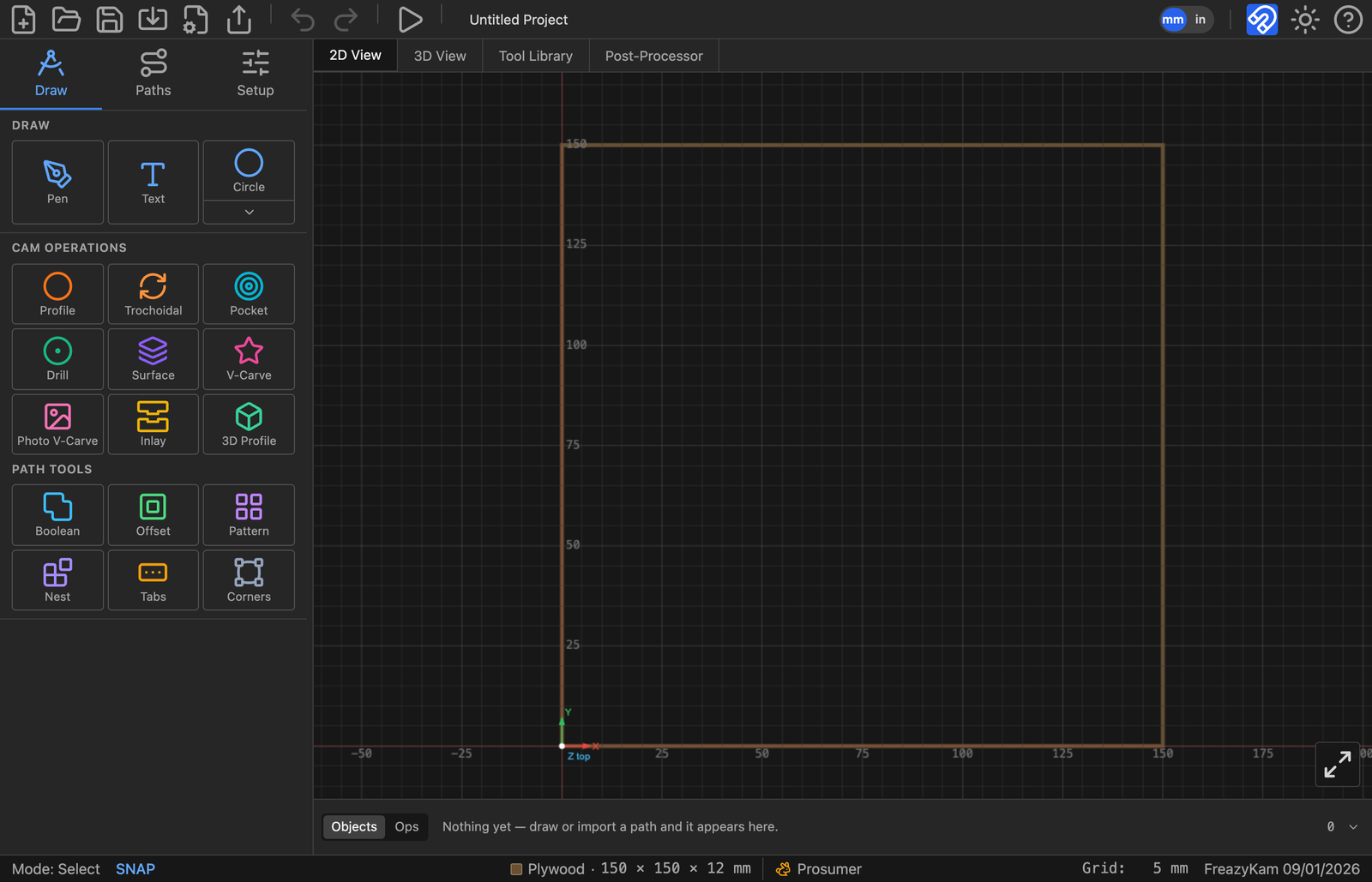
| Area | Where | Holds |
|---|---|---|
| Toolbar | Top | New, Open, Save, Import, Export G-code, Export SVG, Undo, Redo, Simulate, mm/in, Snap, Theme, ? help |
| View tabs | Under toolbar | 2D View, 3D View, Tool Library, Post-Processor, Machine |
| Sidebar | Left | Draw, Paths, Setup tabs |
| Canvas | Middle | Your drawing and toolpaths |
| Objects strip | Bottom | One chip per thing in the project |
| Status bar | Very bottom | Mode, stock size, rigidity, snap, grid |
Sidebar tabs#
| Tab | Contains |
|---|---|
| Draw | Draw (Pen, Text, shapes) · CAM Operations · Path Tools |
| Paths | Paths view (everything by name, plus Properties) · Toolpaths view (cut order and times) |
| Setup | Stock, origin, material, feeds and speeds, settings file |
Draw tab groups#
| Group | Buttons |
|---|---|
| Draw | Pen · Text · Shape button (arrow opens the picker) |
| CAM Operations | Profile · Trochoidal · Pocket · Drill · Surface · V-Carve · Photo V-Carve · Inlay · 3D Profile |
| Path Tools | Boolean · Offset · Pattern · Nest · Tabs · Corners |
Status ring on chips and rows#
| Ring | Means |
|---|---|
| Amber | Needs regenerating |
| Red | Failed |
| Spinner | Working |